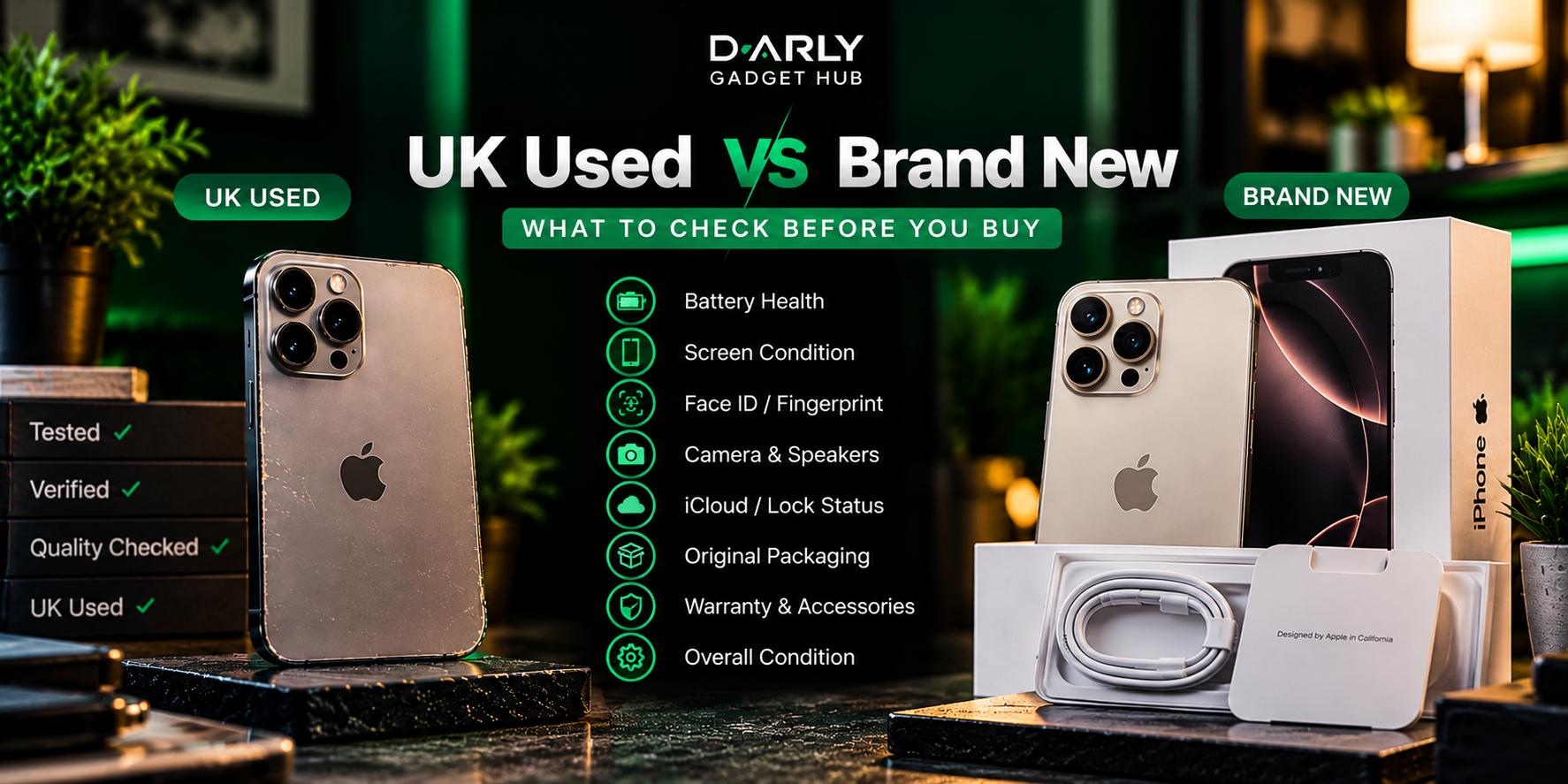
Buying a UK used phone can be a sensible way to get a premium device for less. But the label "UK used" does not guarantee that a phone is in excellent condition, has its original parts or has been properly maintained.
Two phones of the same model can have very different histories. One might have a healthy battery and work perfectly. Another might have a replaced screen, a faulty sensor or an account lock that prevents activation.
The solution is simple: inspect the actual device, test the features that matter and understand the seller's terms before handing over your money.
Before you start
Never let urgency replace inspection.
Ask permission to test the phone thoroughly. If the seller refuses reasonable checks, pressures you to pay immediately or promises to fix major faults after payment, consider walking away.
The 10-point inspection checklist
Work through these checks one by one. Not every problem is visible from the outside, so test the phone rather than relying only on its appearance.
Battery health and performance
- ✓On an iPhone, open Settings → Battery → Battery Health & Charging, where available.
- ✓Check maximum capacity and look for battery-related service warnings.
- ✓Use the phone for a while to see whether it overheats, drains unusually quickly or shuts down unexpectedly.
Warning sign
The seller refuses to let you inspect battery information or test the phone.
Face ID or fingerprint sensor
- ✓Set up and test Face ID on a compatible iPhone.
- ✓Test the fingerprint sensor on Android devices that have one.
- ✓Check that biometric unlocking works consistently.
Warning sign
The seller says a failed biometric feature is normal or promises it can easily be fixed without evidence.
Screen and touch response
- ✓Look for cracks, deep scratches, discolouration and unusual lines.
- ✓Increase and decrease brightness.
- ✓Test touch response across the entire screen using menus or a drawing app.
- ✓Check True Tone on supported iPhones, but remember that its presence or absence alone does not prove whether a screen is original.
Warning sign
Touch does not respond consistently, or the display has unexplained lines, flickering or dark patches.
Cameras and video
- ✓Test the front and rear cameras.
- ✓Try every available lens and zoom level.
- ✓Take photos in good lighting and record a short video.
- ✓Check autofocus, stabilisation where applicable and flash operation.
Warning sign
A camera will not focus, shows persistent spots or produces an error.
Charging and battery connection
- ✓Connect a compatible charger and confirm that charging starts.
- ✓Gently inspect the port for visible damage or debris.
- ✓If supported, test wireless charging.
- ✓Check for intermittent charging or excessive heat.
Warning sign
The phone only charges when the cable is held at a particular angle or repeatedly disconnects.
Speakers and microphones
- ✓Play audio through the speakers.
- ✓Make a test recording and play it back.
- ✓Test a phone call if possible.
- ✓Check that the earpiece and microphone work clearly.
Warning sign
Sound is consistently distorted, unusually quiet or missing from a component that should work.
SIM, network and connectivity
- ✓Confirm the exact model and its SIM configuration.
- ✓Where possible, test it with your intended Nigerian network.
- ✓Check mobile data, Wi-Fi and Bluetooth.
- ✓Ask whether the device has any carrier restrictions.
Warning sign
The seller cannot establish whether the device is network-restricted or compatible with your intended SIM setup.
iCloud and account security
- ✓For an iPhone, make sure the previous owner's Apple Account has been removed.
- ✓Never accept a device that remains protected by Activation Lock.
- ✓Complete the appropriate setup and activation checks before payment.
- ✓On Android, check that the previous owner's account and any device protection locks are properly removed.
Warning sign
The seller asks you to pay first and promises to remove an account lock later.
Parts and repair history
- ✓On supported iPhones, review Parts and Service History under Settings → General → About, if available.
- ✓Ask whether the screen, battery or cameras have been replaced.
- ✓Check for visible signs of poor repairs or damaged screws.
- ✓Understand that available service-history information varies by model and software.
Warning sign
The seller gives contradictory explanations about repairs or refuses to disclose known faults.
Body, buttons and overall condition
- ✓Inspect the frame, back glass, camera lenses and charging port.
- ✓Test the volume buttons, power button and mute or action switch where applicable.
- ✓Check for dents, cracks and signs of liquid exposure.
- ✓Confirm the storage capacity and model match what you are paying for.
Warning sign
The physical condition or model details do not match the seller's description.
UK used vs brand new: which makes more sense?
Neither option is automatically better. Your budget, the specific device and the protection offered by the seller all matter.
Option A
UK Used
Potential advantages
- ✓ Often costs less than a comparable new device.
- ✓ May give you access to an older premium flagship.
- ✓ Can offer good value when the condition is excellent.
Potential drawbacks
- • Battery wear and hidden faults are possible.
- • Repair history may affect reliability or value.
- • Warranty and return protection vary by seller.
Option B
Brand New
Potential advantages
- ✓ Starts with an unused battery and device.
- ✓ May have more software support remaining.
- ✓ May include manufacturer warranty, depending on the purchase.
Potential drawbacks
- • Usually costs more than the equivalent used device.
- • Your budget may limit you to a lower product tier.
- • Packaging alone does not prove authenticity or warranty coverage.
Six questions to ask the seller
Before paying, make sure you can get clear answers to these questions.
- 1What is the exact model, storage capacity and SIM configuration?
- 2What is the battery condition, and has the battery been replaced?
- 3Have any components been repaired or replaced?
- 4Can I test all the important features before paying?
- 5What warranty or return policy applies, and what does it cover?
- 6Will I receive a receipt showing the device details and sale terms?
When should you walk away?
Walk away if an iPhone remains linked to the previous owner's account, if the seller will not allow reasonable testing, or if major faults are concealed or dismissed without a credible explanation.
Also be cautious if the model or storage does not match the listing, the network configuration is unclear, or the seller refuses to explain the warranty and return terms.
A good deal should still make sense after you have inspected the device. Do not let a low price pressure you into accepting risks you do not understand.
The final verdict
Buy the condition, not just the model.
UK used can be a smart purchase when the phone is properly inspected, the price reflects its condition and the seller offers clear terms. Brand new may suit you better if you want an unused device and prefer the protection available with a qualifying new purchase.
Whichever you choose, verify the device, test its important functions and understand your warranty or return options before paying.
Buying note: Inspection options and available service-history information vary by device and software version. Warranty, return terms, network compatibility and device condition should be confirmed with the seller before payment.